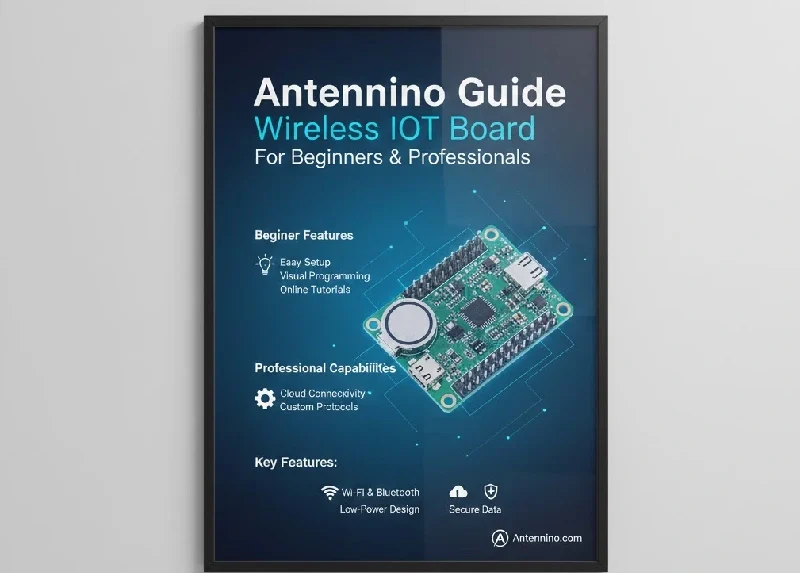
Antennino is a compact, Arduino-compatible wireless board designed for low-power IoT projects. It integrates a microcontroller with a radio transceiver, allowing makers, hobbyists, and engineers to create sensor networks, smart home devices, and automation systems without relying on Wi-Fi.
This guide explains what Antennino is, how it works, key applications, setup instructions, troubleshooting tips, and best practices for building professional and efficient wireless projects.
What Is Antennino?
Antennino is a small development board that combines a microcontroller and a sub-GHz radio module. Unlike standard Arduino boards, Antennino can transmit and receive data wirelessly without additional shields.
Key Features
-
Arduino-compatible microcontroller for easy programming
-
Built-in sub-GHz radio module for long-range wireless communication
-
Low power consumption suitable for battery-operated devices
-
GPIO pins, SPI, and I²C interfaces for sensors and actuators
-
Compact design ideal for portable and embedded projects
Antennino is perfect for building long-range, low-power IoT systems and beginner-friendly sensor networks.
Why Choose Antennino?
Antennino is preferred by hobbyists and professionals due to:
-
Low Power Consumption: Extends battery life for field projects
-
Long Wireless Range: Radio signals can travel hundreds of meters
-
Arduino IDE Compatibility: Easy programming and code reuse
-
Compact Design: Fits in small enclosures and portable setups
-
Ease of Use: Beginner-friendly but powerful for advanced projects
How Antennino Works
Antennino operates in three main steps:
1. Data Acquisition
The microcontroller reads data from connected sensors, such as temperature, humidity, or light sensors.
2. Wireless Transmission
The radio module sends the collected data to another Antennino board or gateway over sub-GHz frequency bands. This method conserves power compared to Wi-Fi.
3. Data Reception
Another Antennino board or receiver captures the transmitted data and processes it for display, logging, or automation.
Example: A soil moisture sensor sends data from the garden to a remote board, allowing you to monitor soil conditions without visiting the garden.
Antennino Specifications
| Feature | Specification |
|---|---|
| Microcontroller | Arduino-compatible MCU |
| Wireless Module | Sub-GHz transceiver |
| Frequency | 433 MHz / 868 MHz |
| GPIO Pins | Yes (Digital & Analog) |
| Interfaces | SPI, I²C |
| Power | USB or Battery (with low-power mode) |
| Wireless Range | 100m–1km (depending on environment) |
| Size | Compact and portable |
Setting Up Antennino
Step 1: Gather Materials
-
Antennino board
-
USB cable or battery
-
Sensors (temperature, light, soil moisture, etc.)
-
Computer with Arduino IDE installed
2: Install Arduino IDE
-
Download Arduino IDE from the official website
-
Add board support via Board Manager
-
Install the required libraries for the radio module
3: Upload First Sketch
-
Start with a basic LED blink program to verify connectivity
-
Test sensor data reading and transmission
-
Gradually develop more complex automation projects
Applications of Antennino
Antennino supports a wide range of IoT and automation projects:
1. Smart Home Projects
-
Wireless door and window sensors
-
Temperature and humidity monitoring
-
Remote-controlled lighting systems
2. Agricultural and Environmental Monitoring
-
Soil moisture measurement for irrigation
-
Weather station sensors
-
Crop monitoring and remote data collection
3. Educational and DIY Projects
-
Science experiments and robotics
-
Sensor reading displays
-
Arduino-based classroom projects
4. Industrial and Remote Monitoring
-
Machine and equipment monitoring
-
Energy usage tracking
-
Remote asset tracking
Advantages of Antennino
-
Low power consumption for extended battery life
-
Arduino IDE compatibility for easy coding
-
Compact and portable design
-
Long-range wireless capability
-
Suitable for both beginners and professional IoT projects
Limitations
-
Does not provide direct internet connectivity
-
The range is affected by obstacles and antenna quality
-
Not suitable for high-data applications
-
Requires basic knowledge of Arduino programming
Antennino vs Other Boards
ESP32 vs Antennino
| Feature | Antennino | ESP32 |
|---|---|---|
| Wireless | Sub-GHz radio | Wi-Fi / Bluetooth |
| Power | Low | Higher |
| Range | Long | Medium |
| Ideal Use | Sensor networks, battery projects | Internet-connected projects |
Antennino vs LoRa Modules
-
Antennino integrates a microcontroller and a radio
-
LoRa modules need extra wiring and external controllers
-
Antennino is easier for beginners and small-scale projects
Troubleshooting Common Issues
Weak Signal
-
Ensure antenna is correctly connected
-
Reduce physical obstacles
-
Choose the optimal frequency band
Battery Drains Quickly
-
Enable sleep mode in code
-
Use high-quality batteries
-
Reduce sensor reading frequency
Sketch Upload Problems
-
Verify USB connection
-
Select the correct board and COM port in the Arduino IDE
-
Reset the board before uploading code
Tips for Optimal Performance
-
Start with small, simple projects
-
Test sensors and communication step-by-step
-
Use low-power modes to extend battery life
-
Maintain proper antenna placement
-
Document each project for easy troubleshooting
Frequently Asked Questions (FAQ)
Q1: What is Antennino?
A: Antennino is a compact wireless board for Arduino-based IoT projects.
Q2: Is it suitable for beginners?
A: Yes, it is beginner-friendly and easy to program using the Arduino IDE.
Q3: Does it use Wi-Fi?
A: No, it uses sub-GHz radio signals for wireless communication.
Q4: Can it run on a battery?
A: Yes, it is designed for battery-powered projects with low power consumption.
Q5: How far can it transmit data?
A: Typically, hundreds of meters, depending on antenna and environment.
Q6: Can Antennino connect to the internet?
A: Not directly. A gateway is required to forward data online.
Q7: What types of projects can I build?
A: Smart homes, garden sensors, classroom experiments, robots, and IoT networks.
Conclusion
Antennino is a versatile and professional-grade wireless board ideal for IoT and automation projects. It combines ease of use with low-power, long-range wireless communication. Whether you are a hobbyist, student, or professional engineer, Antennino enables the creation of reliable, scalable, and efficient wireless projects.
By following best practices, including proper setup, testing, and optimization, Antennino can serve as the foundation for smart homes, environmental monitoring, educational experiments, and more.
About the Author